The First Secuens Parser
QBook
Annotate cues in your script using Secuens notation in Fountain, Final Draft, or any app that exports plain text. Import it in QBook, export professional prompt books and cue sheets, and send cues directly to QLab, ready for tech rehearsal.
Free beta via TestFlight · macOS only
The show begins
in the script.
Features
Parse, don't detect
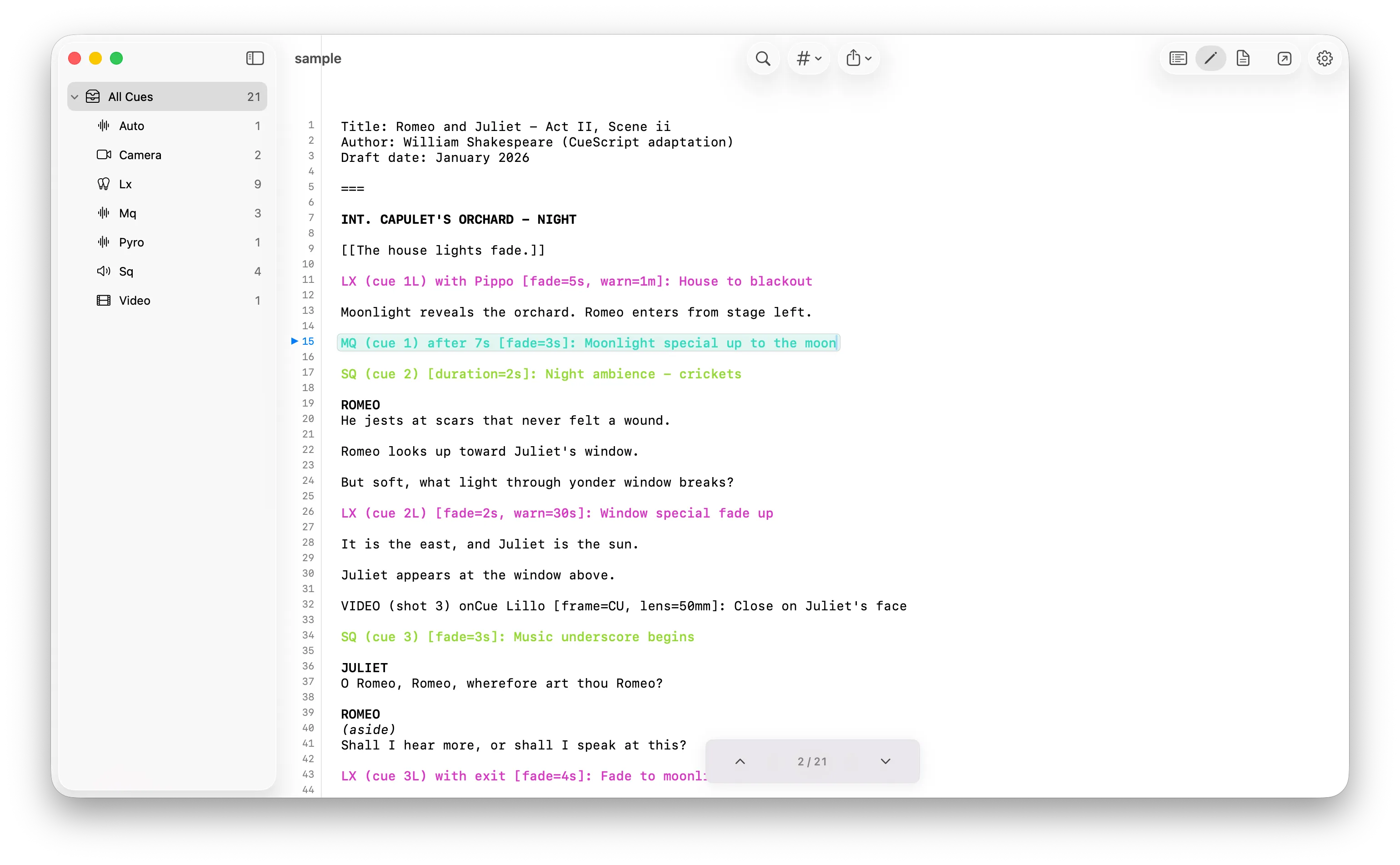
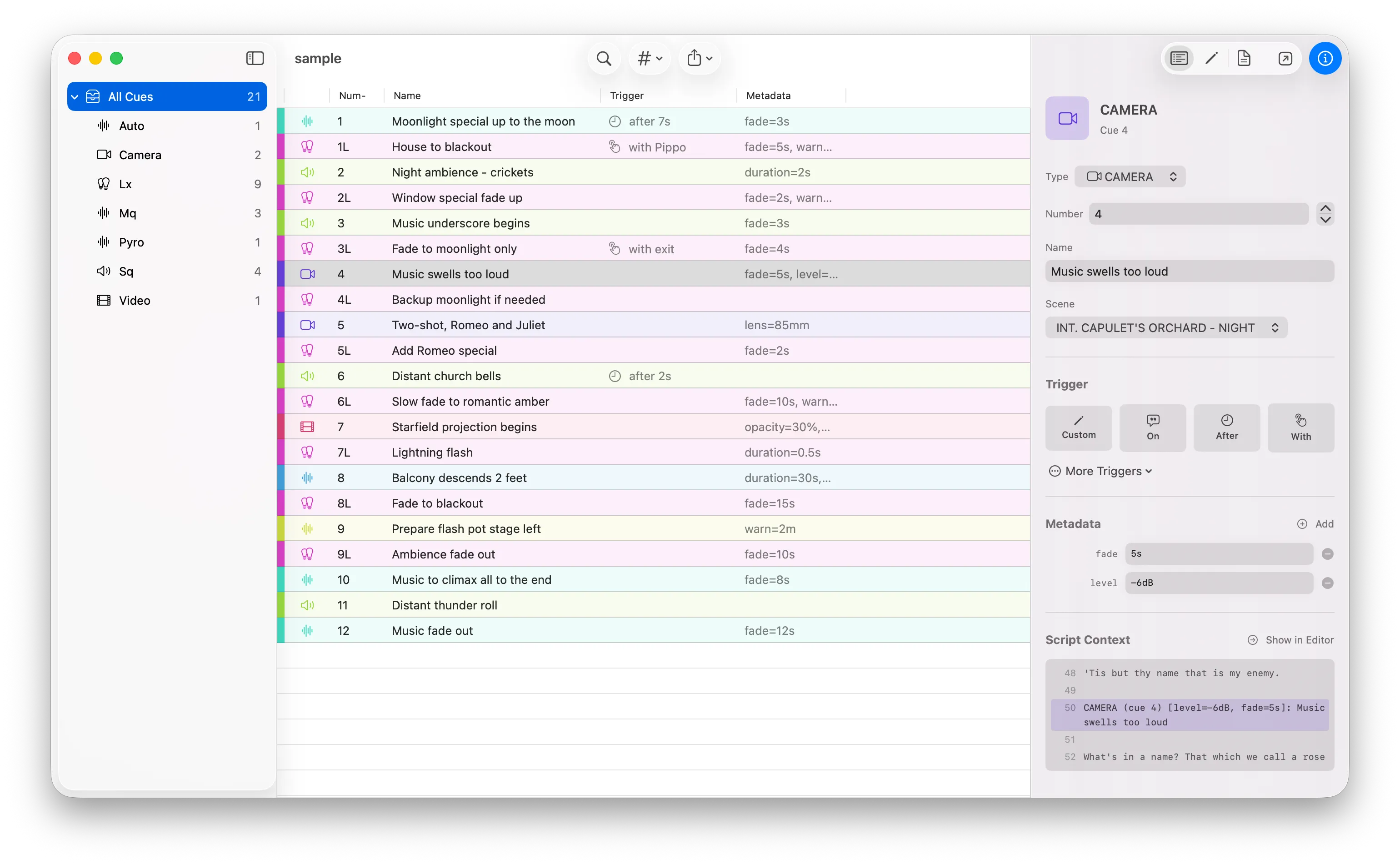
QBook reads your Secuens-annotated script and extracts every cue precisely as written. Lighting, sound, video, props, whatever your production needs.
Direct to QLab
Send cues to QLab live via OSC, or run an AppleScript to build your workspace automatically. Your script drives your show.
Ready for the booth
Export PDF with cues in context, departments separated, ready to print or share with the team.
How Secuens works
Cues live inside
the script
Secuens is an open annotation standard for production scripts. You write cues directly in your script, no separate spreadsheet, no manual re-entry. QBook reads them and builds your cue book automatically.
New to Secuens?Learn more at secuens.org
INT. STAGE, NIGHT
The doors open as the orchestra swells.
LX (cue 12) on "The doors open" [fade=3s, intensity=80%]: Fade up to full
SQ (cue 5) with door slam[file="thunder.wav", level=90%]: Thunder rumble
ANNA steps into the light, centre stage.
LX (cue 12a) after 2s: Tighten spot on Anna
Anatomy of a cue
Cue type
LX, SQ, VIDEO…
Number
1, 5a, 12, A3…
Trigger
on / with / after
Metadata
fade, level, file…
Description
Free text
FAQ
Frequently Asked Questions
How much does QBook cost?
QBook is free during its public beta, distributed through Apple TestFlight. Pricing after the beta period has not yet been announced.
Can I export cue sheets and prep QLab faster with QBook?
Yes. QBook reads cues written in Secuens notation directly inside a Fountain or Final Draft script, then sends them to QLab live via OSC or generates a QLab workspace automatically via AppleScript, replacing manual cue re-entry.
What platforms does QBook support?
QBook is currently macOS only, distributed as a public beta through Apple TestFlight.
Do I need to learn a new format to use QBook?
QBook reads Secuens, an open, plain-text notation you write directly inside your existing script in Fountain, Final Draft, or any tool that exports plain text — no separate spreadsheet or proprietary format required.
Public beta
Join the beta
QBook is free during the beta, distributed through Apple TestFlight. Install TestFlight, tap the link below, and you're in.
Join the TestFlight BetaBeta Notice
- Early release — features and design may change
- Your feedback shapes the final product
- Report issues directly through TestFlight or the app
Coming soon
QBook is heading to the Mac App Store. Full pricing and availability will be announced here once it's live.